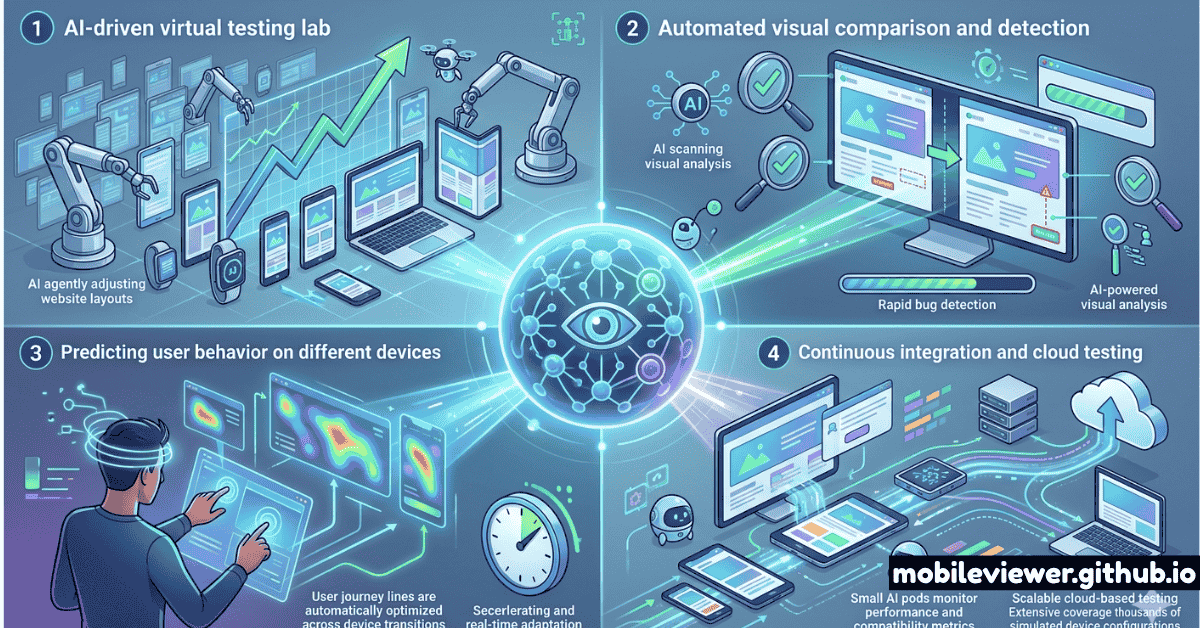
For the first decade of responsive design, "testing" meant opening Chrome DevTools, dragging the viewport handle to 375px, and hoping nothing broke. Then came browser stacks, cloud device farms, and emulators. Now, in 2026, AI has fundamentally changed the testing surface — and developers who haven't updated their workflows are already falling behind.
This guide covers the major categories of AI-powered responsive testing, the specific tools worth integrating today, and the things your mobile previewer must handle to remain a relevant part of your stack.
Front-end developers, QA engineers, and design-system teams who want to understand how AI fits into a modern responsive testing workflow — without replacing the manual audits that still matter.
AI-Powered Visual Regression Testing
Traditional visual regression tools compared screenshots pixel-by-pixel. The problem: a font rendering difference between macOS and Linux would generate hundreds of false positives, drowning real regressions in noise. AI-powered visual regression solves this by using semantic understanding of layout structure rather than raw pixel comparison.
Tools like Applitools Eyes use machine learning models trained on millions of UI screenshots to distinguish between "a button shifted 40px to the right" (real regression) and "slightly different antialiasing on a rounded corner" (irrelevant platform difference). The result is a dramatically lower false-positive rate — typically under 2% vs 30–40% for pixel-diff tools.
What to look for in a visual regression tool (2026)
- Viewport grid testing: Ability to test 50+ viewport sizes in a single run automatically
- Baseline management: Smart branching so PR-specific changes don't pollute main baselines
- Component-level testing: Isolating individual UI components across breakpoints rather than full-page screenshots only
- CI/CD integration: Native GitHub Actions, GitLab CI, and Jenkins plugins with PR blocking on failures
Applitools Eyes
The most mature AI visual testing platform. Uses Visual AI to compare layout structure, not pixels. Supports Selenium, Playwright, Cypress, and Storybook. The Ultrafast Test Cloud runs tests on 50+ browser/OS combinations simultaneously. Best-in-class for design-system component testing.
Percy (BrowserStack)
Percy integrates natively with Storybook and most CI systems. It takes DOM snapshots (not just screenshots), so it captures dynamic content more accurately. BrowserStack's acquisition brought real-device cloud testing under the same platform. Pricing is based on snapshot count rather than time, making it predictable for large component libraries.
Playwright + AI-Assisted Selectors
Playwright's Codegen now uses AI to generate more resilient selectors, reducing test flakiness when layouts change. Combine with the expect(page).toHaveScreenshot() API and a service like Argos CI for a free/cheap visual regression setup. Excellent for teams that want code-first testing without a SaaS vendor lock-in.
Natural-Language Test Generation
The most impactful AI shift in 2026 isn't smarter screenshot comparison — it's the ability to describe what you want to test in plain English and have the AI generate executable test code. GitHub Copilot, Cursor, and specialized tools like Mabl and Functionize can turn a requirement like "verify the navigation collapses into a hamburger below 768px and all links remain accessible" into a complete Playwright or Cypress test suite.
This dramatically lowers the barrier for designers and product managers to contribute to the test suite — not just engineers. The practical impact: more tests get written for edge cases that engineers would typically skip due to time pressure.
When using AI test generation, always review the generated selectors. AI tools frequently generate fragile selectors like .navbar > li:nth-child(3) instead of resilient ones like [data-testid="nav-about"]. A quick review pass saves debugging headaches later.
AI-Powered Accessibility Auditing at Multiple Viewports
Accessibility failures on mobile are often different from desktop failures — touch targets that are adequate on desktop become too small on mobile, color contrast that passes on a retina screen fails on an older Android AMOLED, and ARIA labels can become meaningless when the associated visual element is hidden at mobile breakpoints.
AI accessibility tools in 2026 solve this by running automated WCAG audits simultaneously across a matrix of viewport sizes and flagging mobile-specific regressions. Axe AI (Deque Systems) and Sa11y are the two standout tools in this category.
AI Performance Prediction and Budget Enforcement
The newest AI capability hitting testing workflows is performance prediction — AI models trained on millions of web performance measurements that can predict your Core Web Vitals score changes before you deploy. Tools like SpeedCurve's AI Advisor and Calibre's performance regression detection work by analyzing your PR's bundle changes and predicting the LCP/INP/CLS impact before the code goes live.
This is particularly valuable for mobile performance, where a 30KB JavaScript increase can cross an LCP threshold for users on mid-range Android devices on 4G — a test you'd never catch with desktop Chrome DevTools alone.
AI Testing Tool Comparison Table
| Tool | Primary Use | Free Tier | CI/CD | Mobile-First |
|---|---|---|---|---|
| Applitools Eyes | AI Visual Regression | Limited | Yes | Yes |
| Percy / BrowserStack | Visual Regression + Real Devices | 5k snapshots/mo | Yes | Yes |
| Playwright + Argos | Code-first Visual Regression | Yes (OSS) | Yes | Manual config |
| Mabl | NL Test Generation + Regression | No | Yes | Yes |
| Axe AI | AI Accessibility Audits | Core rules free | Yes | Yes |
| Mobile Viewer | Instant Viewport Preview | 100% Free | N/A | Yes |
What AI Still Cannot Replace
Despite the advances, several testing categories resist automation in 2026:
- Subjective UX judgment: Does the layout "feel right" on this device? Is the CTA visually prominent enough? AI flags technical violations but not aesthetic problems.
- Foldable and new form factor testing: Devices like Galaxy Z Fold 6 and Google Pixel 9 Pro Fold require physical or near-real-device emulation to catch fold-seam layout issues — AI tools trained on flat-screen data don't reliably flag fold-specific problems. Read our guide on testing foldable phones and multi-screen devices for the full picture.
- Tactile interaction testing: Swipe gestures, pinch-to-zoom, and haptic feedback responses can't be validated through screenshot comparison.
- Real-device network conditions: AI performance prediction models are approximations. Nothing replaces testing on a real mid-range Android over a real 4G connection.
AI visual regression tools are trained primarily on flat-screen, rectangular viewport data. They are unreliable for foldable device fold-seam testing, wearable round-screen layouts, and car infotainment viewports. These require specialized emulators or physical devices.
The Recommended 2026 AI-Augmented Testing Workflow
Here's how a mature team integrates AI tools without replacing the manual audits that still matter:
- Instant preview (pre-commit): Use Mobile Viewer or browser DevTools to visually spot-check your changes at 375px, 768px, and 1280px before committing.
- Component-level visual regression (on PR): Percy or Applitools Eyes runs automatically on every PR, comparing your Storybook components against baselines at 6–8 key viewport widths.
- Full-page regression (on merge to main): Playwright + Argos runs a full-page screenshot matrix of your 20 most critical pages at 12 viewport sizes.
- Accessibility audit (nightly): Axe AI runs a full WCAG 2.2 AA scan across all pages at mobile viewport, flagging any new violations introduced in the last 24 hours.
- Performance regression (on deploy): SpeedCurve monitors LCP/INP/CLS on your 5 most important pages from real mobile users and alerts on threshold breaches. See our Core Web Vitals mastery guide for the complete performance testing workflow.
- Manual audit (weekly): A developer or QA engineer checks 3–5 pages on real devices — at least one iOS and one mid-range Android — looking for subjective UX issues that automated tools miss.
This layered approach means AI handles breadth (catching regressions across hundreds of component/viewport combinations automatically) while humans handle depth (the weekly manual audit focuses attention on the highest-risk new features).
What Your Mobile Previewer Needs to Handle in 2026
With AI tools covering regression detection, your mobile previewer's role shifts. It no longer needs to be your primary QA tool — it needs to be your fastest way to get a visual baseline before slower automated tools run. That means:
- Instant loading: No install, no account required. Zero friction between "I want to see this at 390px" and actually seeing it.
- Accurate viewport simulation: Correctly applying device pixel ratios, safe area insets, and scrollbar behavior — not just resizing a browser window.
- Foldable and multi-screen presets: Galaxy Z Fold presets with both folded/unfolded states. See our article on foldable phone viewport challenges for context.
- Live URL testing: The ability to preview any URL — not just localhost — including staging environments behind basic auth.
- QR code for real-device check: One-click QR generation so you can instantly verify your layout on a physical device. More on this in our QR code workflow guide.
The bottom line: AI has made responsive testing faster, broader, and more reliable for catching technical regressions. It has not — and will not soon — replace the need for fast, human-in-the-loop visual previewing or physical device verification. The best workflow uses both, and understands exactly what each layer is responsible for catching.
Want to audit your current mobile experience before integrating AI regression tools? Start with Mobile Viewer for an instant, free viewport preview of your site.